Most commercial WinForm applications have a SplashScreen. This article explains how you can implement one using the Microsoft .NET Framework.
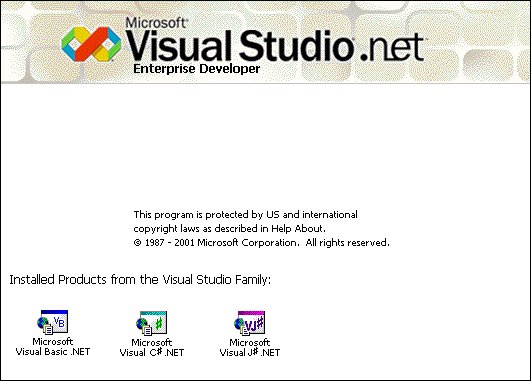
Example: Visual Studio.NET SplashScreen
SplashApplicationContext
The SplashApplicationContext is used to show a splash Form before the main Form is shown. It's base class is ApplicationContext.
The constructor accepts 3 arguments
- mainForm: The main Form of the application to use for context
- splashForm: The splash Form of the application to use for context
- interval: The time (in milliseconds) the splash Form is visible. Specify 0 to disable the timeout.
Usage
The Application.Run(context) method creates a standard application message loop on the current thread, with an ApplicationContext.
The following code creates a SplashApplicationContext using a new Form1 as the MainForm and a new SplashForm as the SplashForm. The interval is set to 2000 which will show the SplashForm for 2 seconds. This is done in the static Main() method.
/// The main entry point for the application.
/// </summary>
[STAThread]
staticvoid Main()
{
SplashApplicationContext myContext=
new SplashApplicationContext(new Form1(),new SplashForm(), 2000);
Application.Run(myContext);
}
Code: Form1.cs
You can use the time that the SplashForm is shown usefully. You can use it to connect to databases or do some other intializations. The following code simulates some activity. The status is displayed using a Label control.
{
// Show Form
this.Show();
Application.DoEvents();// Finish Paint
Cursor.Current = Cursors.WaitCursor;
// Simulate some activity (e.g. connect to database, caching data, retrieving defaults)
this.labelStatus.Text ="Step 1";
this.labelStatus.Refresh();
System.Threading.Thread.Sleep(1000);
// Simulate some activity
this.labelStatus.Text ="Step 2";
this.labelStatus.Refresh();
System.Threading.Thread.Sleep(1000);
// Simulate some activity
this.labelStatus.Text ="Step 3";
this.labelStatus.Refresh();
System.Threading.Thread.Sleep(1000);
// Close Form
this.Close();
}
Code: SplashForm.cs
You must set the interval to 0 to disable the timer.
staticvoid Main()
{
SplashApplicationContext myContext=
new SplashApplicationContext(new Form1(),new SplashForm(), 0);
Application.Run(myContext);
}
Code: Form1.cs
Conclusion
The SplashApplicationContext class is easy solution to show a SplashScreen. It demonstrates the power of the .NET Framework.
Any suggestions and feedback for improving this article is most welcome. Send your suggestions and feedback to Fons.Sonnemans@reflectionit.nl
DownloadAll postings/content on this blog are provided "AS IS" with no warranties, and confer no rights. All entries in this blog are my opinion and don't necessarily reflect the opinion of my employer or sponsors. The content on this site is licensed under a Creative Commons Attribution By license.


Blog comments
0 responses