.NET 6, 7 and 8 introduced a set of powerful Argument...Exception.ThrowIf... helper methods. They’re fast, they’re clean, and they eliminate a ton of repetitive guard‑clause code. But let’s be honest: writing validation logic in every property setter still gets old quickly.
So I built ReflectionIT.PropertyThrowGenerator — a Roslyn source generator that injects validation logic directly into your partial properties using simple [ThrowIf...] attributes. You declare what should be validated, and the generator writes the how.
No more boilerplate. No more forgetting a null check. No more copy‑paste errors.
Just clean, validated properties.
Over the years I’ve implemented the Dispose pattern in C# more times than I can count. And if you’ve done the same, you know the drill: boilerplate, subtle rules, edge cases, async variants, thread‑safety, unmanaged resources, inheritance… and the constant risk of getting one tiny detail wrong.
So I decided to fix that.
Today I’m happy to introduce a new open‑source project:
With the version 17.10.0 Preview 3.0 of Visual Studio Preview you can test some new C# 13 features. In this blog I will explain the params Collection feature as documented in this proposal. To use this feature you have to set the LangVersion in your csproj file to preview.
The MVVM Design Pattern is mainly used in XAML enviroments like WPF, UWP, WinUI, Xamarin Forms and MAUI, because they support databinding between Controls and Models but also between Buttons and Commands.
In .NET 8 it is possible to implement the MVVM Design Pattern in Windows Forms apps. It uses a new data binding engine which was in preview with .NET 7, and is now fully enabled in .NET 8. This new engine is modeled after WPF, which makes it easier to implement MVVM design principles. Time to write a blog post about it.
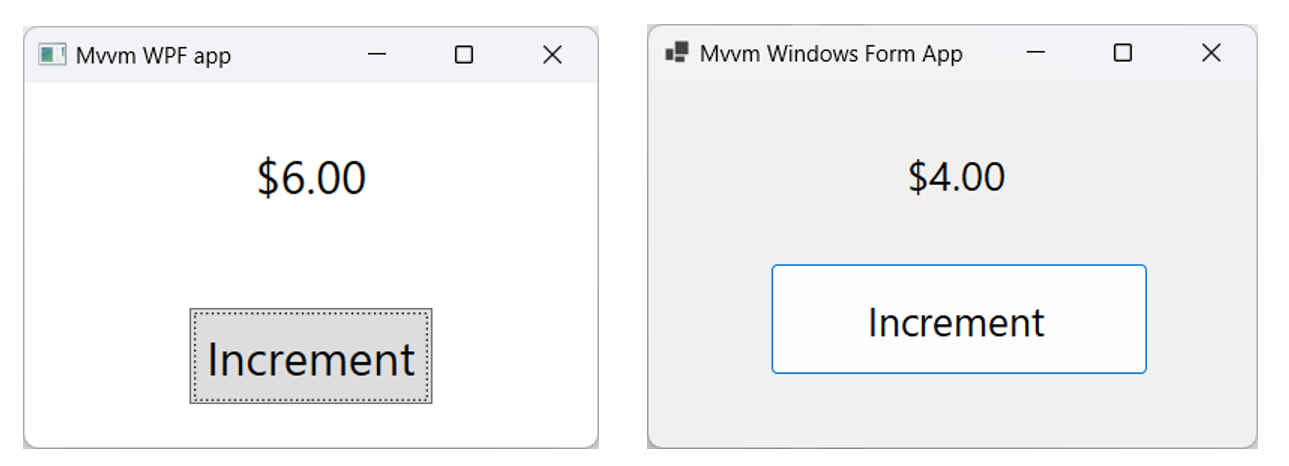
For this post I have written a simple demo Solution containing 3 projects. The ModelsLibrary project contains a ViewModel and is referenced by a Windows Forms and WPF project. I have published this solution in this GitHub repository.
The UI of the Windows Forms and WPF apps are very simple. It shows the value of a Counter and has an Increment button to increment the value by 1. Simular to the Counter sample page of a Blazor app.
Last week there was a discussion on X (former Twitter) about the usage of the NumberBox in WinUI apps. Should it accept letter inputs or not. The 'conlusion' was that it should because you can enter formulas. But there are also a few developers which don't like this. So I took up the challenge to find a solution for this problem. My first guess was that I should create an AttachedProperty or Behavior for this. I was wrong. AttachedProperties can't be used for this. You can't use them for handing events on controls. Behaviors can but they require you to add an extra NuGet package to the project. Something you might not want. So I decided to use compiled binding (x:Bind) to events, also known as Event Binding.
You can customize the appearance of your apps in many ways by using the XAML framework like WPF, UWP, WinUI and MAUI. Styles let you set control properties and reuse those settings for a consistent appearance across multiple controls. Styling is to XAML what CSS is to HTML. Using styles, you can group a set of properties and assign them to specific controls or all controls of a specific type, and just like in CSS, a style can inherit (BasedOn) from another style.
Starting with WinUI 2.6 there are new styles for most of the controls. It is encourage you to use the new styles, as they better match the design direction of Windows. You can read more about styling.
Many years ago Scott Hanselman wrote the famous Scott Hanselman Ultimate Tools List post. In 2019 I wrote my own list, now it is time for an update because there are new tools I use. I'm a Windows App developer more than a Web developer so I use different tools. I write mainly XAML (UWP, WPF, WinUI and UnoPlatform) apps and only occasionally an ASP.NET MVC, WebAPI or Blazor WASM projects. My code is written in C#. I create them because it is fun to do and it helps me to train my own skills. I use this experience for my trainings (C#, XAML, ASP.NET and SQL). I write my own training material so I need the experience. I have developed about 50 Windows (and Windows Phone) apps, some are very popular. The apps have more than 5 million downloads and daily thousands of players. Most of my apps are free but there are Ads in it to generate some revenue.
Xml serialization is really common. For a class this is done automatically, but not for your own struct. The primitive structs from Microsoft (bool, byte, short, int, long, double, decimal, etc.) don’t have this problem. The serialization and deserialization of those types are done by the XmlSerializer class. For your own struct you have to implement the IXmlSerializable interface. This isn’t really hard, but it is harder when the struct is a readonly struct. A feature which Microsoft added to C# 7.2 a few years ago. The problem is caused by the ReadXml() method of this interface. This method returns a void which means that you have to modify the fields inside the struct, which is not allowed if the struct is readonly. Luckily there is a solution using the Unsafe.AsRef() method. In this blog I will explain how to use it.
Accelerator keys (or keyboard accelerators) are keyboard shortcuts that improve the usability and accessibility of your Windows applications by providing an intuitive way for users to invoke common actions or commands without navigating the app UI. You can add them to a Button using the KeyboardAccelerators property. See the example below.
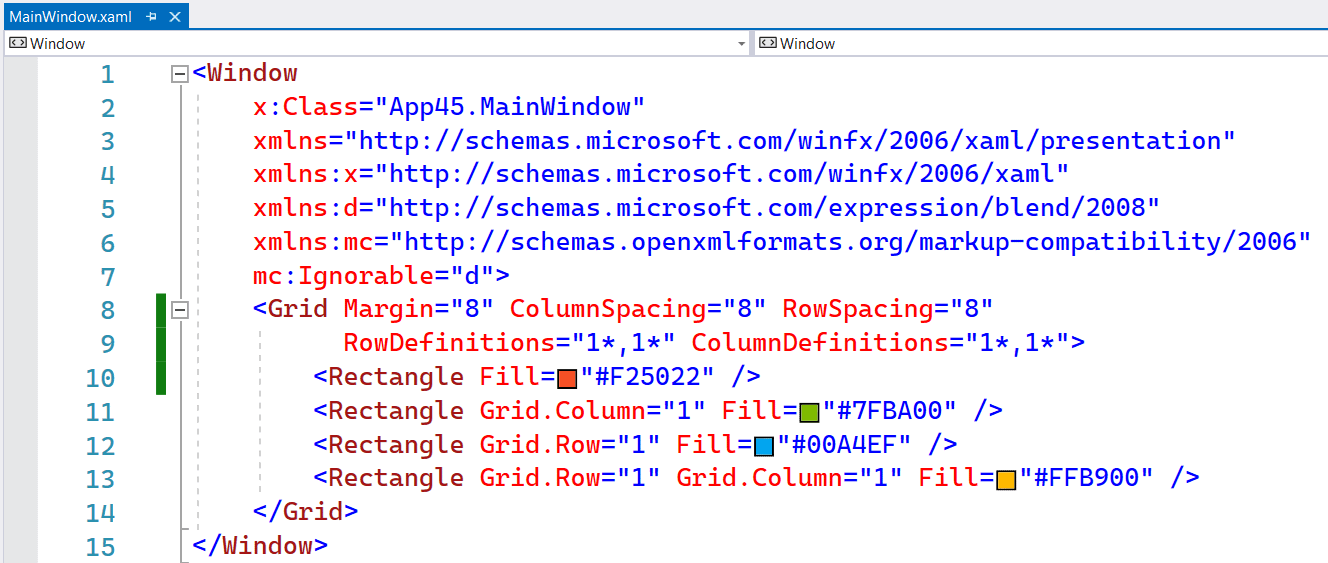
In the XAML of WinUI3 apps you can use the inline syntax for creating Rows and Columns inside a Grid. This is a feature which Avalonia had for a long time. It is more compact and works fine as long as you don't need a Max or Min Width/Height.
The following screenshot shows you a Grid with 2 Rows and Columns. Both in equal size. Using 4 Rectangle elements I created the Microsoft logo inside this Grid.
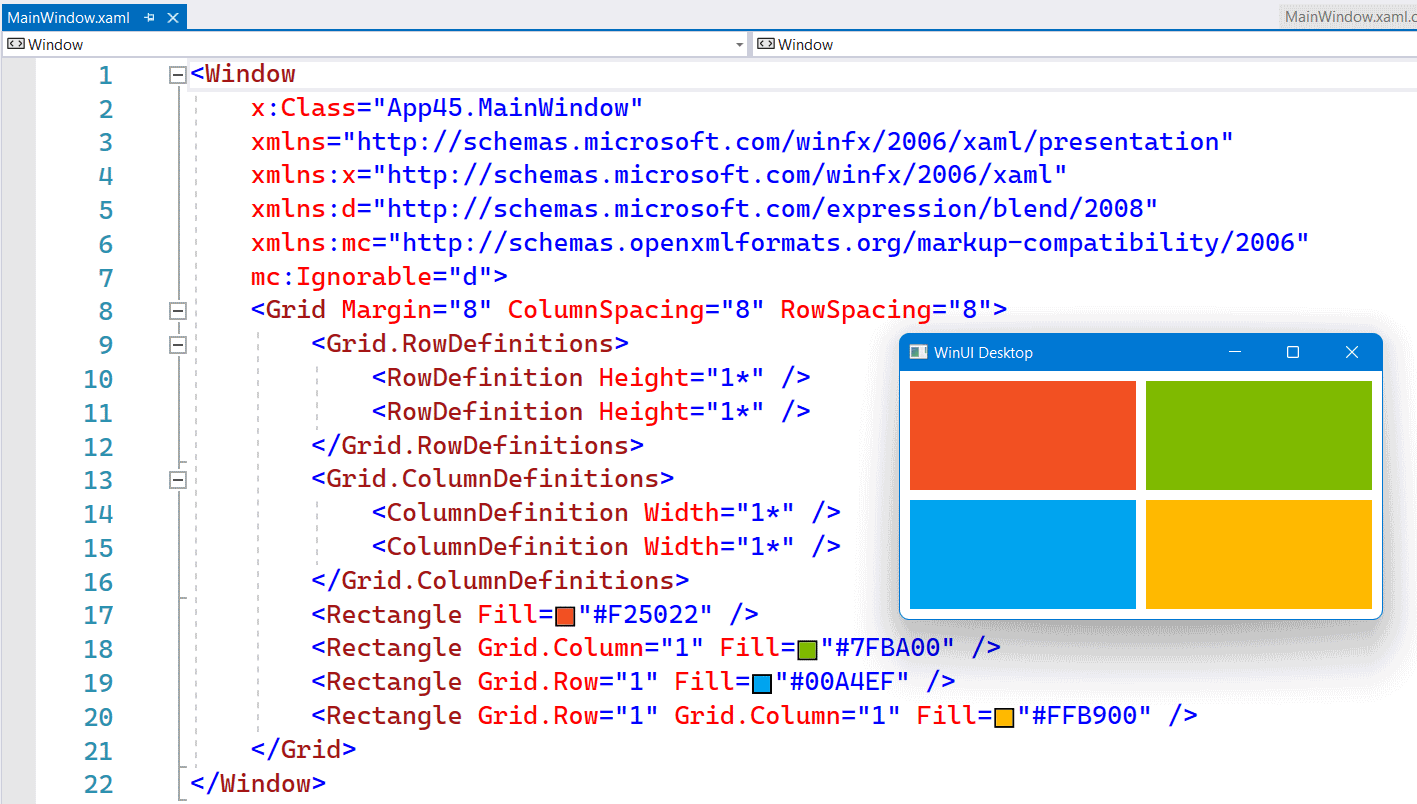
The following screenshot shows you the same Grid but now with inline RowDefinitions and ColumnDefinitions. It saves you a few lines of XAML.