TechDays 2011 WP7 app, Speaker
04-Apr-2011
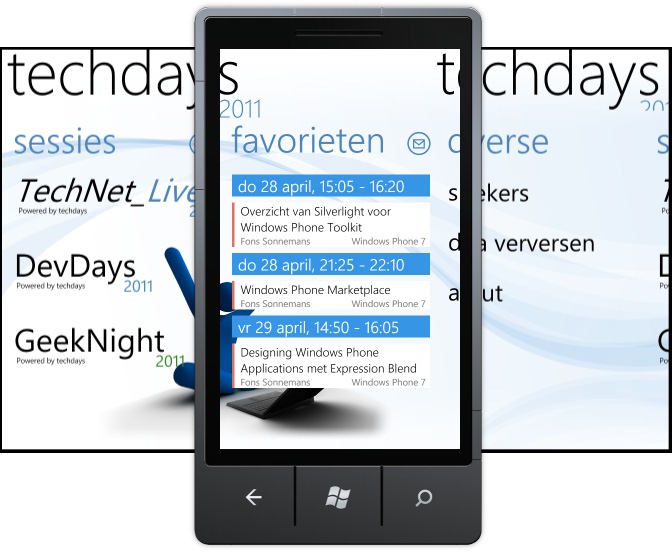
I have written a new WP7 application which is now available on the Marketplace.
04-Apr-2011
I have written a new WP7 application which is now available on the Marketplace.
24-Mar-2011 1 Comments
Om je inkomsten van je applicaties, die via de Marketplace verkocht worden, uitbetaald te krijgen, dien je een aantal stappen te ondernemen, zodat je niet dubbel belasting betaalt. Vanwege een verdrag tussen Amerika en Nederland is het mogelijk dat je in Amerika geen belasting betaalt over deze inkomsten, mits je de goede formulieren correct invult. Wel moet je in Nederland separaat aangifte doen over deze inkomsten.
Ik heb op dit moment 6 applicaties in de WP7 Marketplace. Vanaf januari dit jaar betaalt Microsoft USA mij maandelijks mijn inkomsten uit. Hierbij houden zij geen belasting in omdat ik mijn W-8BEN formulier correct ingevuld en opgestuurd heb. In deze blogpost beschrijf ik hoe ik dat gedaan heb.
Onlangs heeft Matthijs Hoekstra van Microsoft Nederland zijn 'Windows Phone 7 Marketplace, W7, W8, EIN, ITIN, hoe zit dat nou?' blogpost geschreven. Hierin geeft hij uitleg welke formulieren ingevuld moeten worden. In het artikel heeft hij daar een mooi schema opgenomen. Ik ontwikkel mijn applicaties vanuit Reflection IT BV (Besloten Venootschap) en heb dus ook een BTW nummer (VAT). Daarom heb ik dus de Form SS-4, EIN Number, Form W-8(BEN) route gevolgd.
08-Mar-2011
 |
I have just published an YouTube video of Tattoo Tester for the Windows Phone. It also shows the new features added in version 1.1. |
01-Mar-2011
 |
I have just published an YouTube video of my new Animal Sounds game for the Windows Phone. Best of all it's free and doesn't contain any ads. |
25-Feb-2011
I have developed a few Windows Phone apps which support a Trial mode. In these WP7 apps I use the static IsTrial property of my LicenseManager class to check if the user is using a paid or trial version. This class uses the IsTrial() method of the Microsoft.Phone.Marketplace.LicenseInformation class if you are running in configuration 'Release' mode. If you are developing and running in configuration 'Debug' mode it will return true if the TRIAL conditional compilation symbol is set in your project properties. This makes it easy to test the Trial mode in your code.
12-Feb-2011
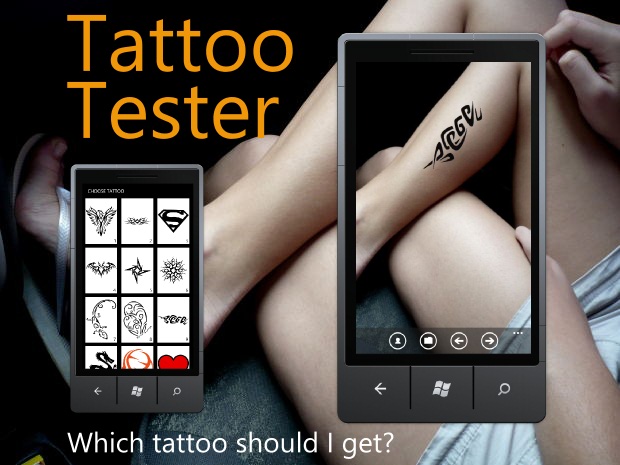
I have written a new WP7 application which is now available on the Marketplace.
17-Jan-2011
I have created a video demonstrating my latest version of my Countdown app for the Windows Phone 7.
This 1.5 version includes a new Cubic clock which uses 3D Perspective to rotate the hours, days, minutes and seconds. I hope you like it.

Cheers,
17-Jan-2011
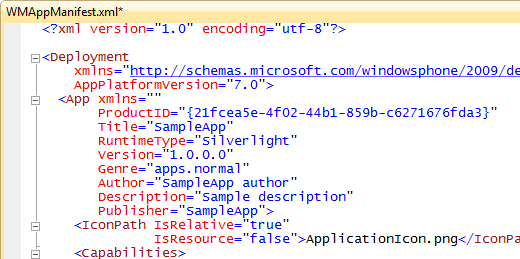
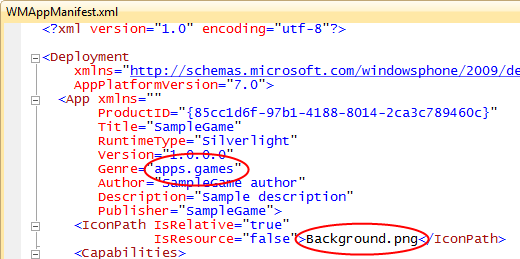
Games in the Games Hub of the Windows Phone 7 have larger icons than normal apps. If you are creating a game using Silverlight make sure you change the WMAppManifest.xml file which is located in the Properties folder of your project. You have to set the Genre attribute to 'apps.games'. This will place your game in the Game Hub. You must also change the IconPath from 'ApplicationIcon.png' to 'Background.png'. This image is 173x173 pixels instead of the smaller 62x62 icon which is used for the normal apps. You can even remove the 'ApplicationIcon.png' from your project because it isn't used any more.
WMAppManifest.xml for a Sample App
WMAppManifest.xml for a Sample Game
10-Jan-2011

|
In het laatste .NET magazine heb ik een artikel geschreven over Silverlight for Windows Phone 7 Toolkit. Dit artikel kunt u online lezen maar ook downloaden als PDF. Natuurlijk kan je de sourcecode van de demo applicatie ook downloaden. Mocht je het magazine niet hebben ontvangen schrijf je dan alsnog in. Het laatste blad wordt dan alsnog opgestuurd. |
06-Jan-2011
My Countdown app is shown in the CES Keynote given by Steve Ballmer. Check out the video and FF to 28:37. You will see a Live Tile (Summer Solstice) at the bottom of the start screen of the Windows Phone 7.
Met dit formulier kunt u informatie over een In-Company of Small-Group training aanvragen. U kunt in het bericht aangeven welke training u wilt, voor hoeveel personen, wanneer deze verzorgd moet worden en op welke locatie. Wij nemen vervolgens contact met u op.
U kunt ons ook bereiken via telefoonnummer +31 (0)493-688810 of per mail training@reflectionit.nl.